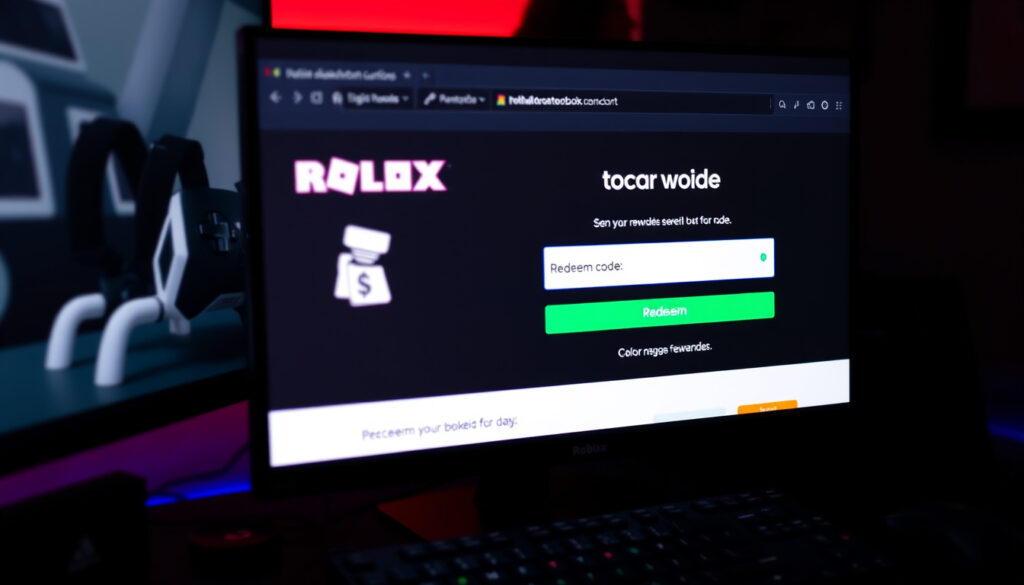
Roblox.com/redeem Code: How to Redeem (2025)
Anyone who’s ever stared at a Roblox code and wondered where exactly to type it already knows the sinking feeling of landing on the wrong page. A gift card, a promo code, or a credit from a toy package all lead to one place: roblox.com/redeem.
“The official redemption page is roblox.com/redeem, where users enter a gift card or promo code to receive Robux and/or a virtual item.” — Roblox Redeem page
Official Redeem Page: roblox.com/redeem ·
Maximum Bonus: Up to 25% more Robux ·
Code Types Accepted: Gift cards, promo codes, credit ·
Login Required: Yes
Quick snapshot
- Official redeem page is roblox.com/redeem (Roblox Redeem page (official portal))
- Users must be logged in before redeeming (Roblox Support (official help center))
- Gift cards can provide up to 25% more Robux (Roblox Gift Cards, official product page) (Roblox Redeem page (official portal))
- Exact expiration periods for promo codes vary
- Promo code availability and bonus amounts fluctuate
- Regional restrictions for promo codes are not always publicly listed
- Robux and items appear instantly after redemptive success (Roblox Support (official help center))
- Check your Robux balance and inventory for new items (Roblox Support (official escalation path))
- Use Roblox Support (official escalation path) if the code still won’t work
Key details for redeeming a Roblox code.
| Label | Value |
|---|---|
| Official Redeem URL | https://www.roblox.com/redeem |
| Maximum Bonus | Up to 25% more Robux |
| Code Validity | Expires after use or date |
| Login Required | Yes |
How do I redeem a Roblox code on roblox.com/redeem?
Step-by-step redeeming process
- Go to roblox.com/redeem in your browser.
- Log in to the Roblox account where you want the credit or item — Roblox Support confirms this is required before the page will accept any code (Roblox Support, official help center).
- Enter the code exactly as printed — promo codes, gift card codes, and toy codes all use the same box (Roblox Support, toy code redemption guide).
- Click the Redeem button and wait for a success message.
“You must be logged in before the page will accept any code.” — Roblox Support
A single redemption flow handles all code types: gift cards, promo codes, and credit. The Roblox Support help center notes that once the code is accepted, the reward — Robux, Credit, or a virtual item — appears immediately.
Required information
- A valid Roblox account — you must be logged in before you can redeem.
- The code itself — a 12- to 16-digit gift card code, a promotional alphanumeric string, or a code from a Roblox toy.
- Internet access — the entire process runs on the web.
A user who already has the account open and the code copied to their clipboard can complete the redeem process in under 30 seconds. The whole flow hinges on that login step — skip it and the page will simply refuse any code you type.
The implication: the simplicity of the core flow means most failures are caused by a single mistake — wrong account, wrong code entry, or expired code.
Why isn’t my Roblox redeem code working?
Common error messages
- “Invalid code” — the code may be typed wrong, expired, or never existed.
- “Code already redeemed” — the code has been used on your account or another account (Roblox Support, official help center).
- “Item already owned” — you own the virtual item, so nothing new is granted (Roblox Support, official help center).
Expired or invalid codes
Roblox promo codes have expiration dates that vary — some last weeks, others months. Gift card codes generally do not expire under normal use, but the Roblox U.S. Terms and Conditions note that users must be over 18 or have parent/guardian consent to redeem. If a code is past its printed date or the promotion has ended, the site will reject it.
Regional restrictions
Some promo codes are geo-locked. A code distributed for the U.S. market may not work on an account registered in Europe or Asia. Roblox’s support system is the recommended path to verify whether a code is valid in your region (Roblox Support, official escalation path).
Case sensitivity is a silent culprit. Many codes include both uppercase and lowercase letters. If a user types “ABCD1234” but the code reads “aBcD1234”, the page treats them as different strings. Copy-paste is the safest bet.
What this means: before contacting support, a user should triple-check the code character by character, confirm they are logged into the correct account, and verify the code has not already been redeemed on that account.
Can I redeem a Roblox promo code on mobile?
Redeeming via mobile browser
Yes — the same roblox.com/redeem page works on a mobile browser. Roblox’s gift card redemption flow is web-based, so mobile users need a browser, not the in-app store flow, for the redemption page itself (Roblox Redeem page, official portal).
Using the Roblox mobile app
The official Roblox mobile app does not have a direct “redeem code” button on the home screen. Users must open the app’s built-in browser or switch to Safari (iOS) or Chrome (Android) and navigate to roblox.com/redeem. Once logged in through the app, the browser session is already authenticated, making the process smoother (Roblox Support, official help center).
The pattern: mobile redemption uses the exact same steps as desktop, except the user must consciously use a browser tab rather than an in-app menu. This is where most mobile users get stuck.
How to get free Robux with Roblox codes?
Types of free Robux codes
- Promo codes — limited-time codes distributed by Roblox or partners. These are event-driven and can expire quickly.
- Gift card bonuses — purchasing a Roblox gift card may include bonus Robux, up to 25% extra (Roblox Gift Cards, official product page).
- Toy codes — physical Roblox toys and figures include a code for a virtual item (not directly Robux, but often tradeable).
Participating in promotions
Roblox occasionally runs promotions through its Roblox Gift Cards page and social channels. These are time-sensitive: a promo code distributed for a specific month stops working when the promotion ends. Checking the official Roblox blog or the gift card terms page is the best way to find current offers.
Third-party sites claiming “free Robux code generators” are almost always scams. The only legitimate way to get a free Robux code is through an official Roblox promotion or a gift card bonus. Roblox Support explicitly warns against entering account credentials on unaffiliated pages (Roblox Support, official help center).
Why this matters: the “free Robux” promise is the most common vector for phishing attempts. A user who sticks to official channels and rejects unsolicited code offers avoids the most frequent type of account compromise.
What happens after redeeming a Roblox code?
Immediate reward delivery
Once the code is accepted, Roblox Support reports that the reward — Robux, Credit, or an exclusive virtual item — appears in the account instantly (Roblox Support, official help center). There is no processing delay or pending status.
Checking your Robux balance
- Log in to Roblox and click the Robux icon in the top-right corner of the site or app.
- For virtual items, go to your inventory and check the correct category — accessories, hats, gears, or bundles (Roblox Support, toy code redemption guide).
- A confirmation receipt is visible in your account’s transaction history under Settings > Billing.
The trade-off: instant delivery means no second chance — if the code was valid and you clicked redeem, the reward is yours. There is no cancel button. For users who accidentally redeem a code on the wrong account, the only recourse is Roblox Support’s billing help page (Roblox Support, official escalation path).
youtube.com, youtube.com, en.help.roblox.com, youtube.com, youtube.com, youtube.com, youtube.com, en.help.roblox.com, youtube.com
For a thorough walkthrough of the process, check out this detailed redemption guide that covers every step from logging in to troubleshooting common errors.
Frequently asked questions
Is there a limit to how many codes I can redeem?
Roblox does not publish a daily limit, but each individual code can only be redeemed once. There is no stated cap on total codes per account.
Can I redeem a code without logging in?
No. The redemption page will not process a code unless you are logged into a Roblox account (Roblox Support, official help center).
Do Roblox codes expire?
Promo codes have expiration dates that vary by promotion. Gift card codes generally do not expire, but the terms state the user must meet age and account requirements (Roblox U.S. Terms and Conditions).
How do I get a Roblox promotional code?
Promotional codes are distributed by Roblox through official events, social media posts, and partner offers. The safest way is to follow Roblox’s official blog or check the gift card page for current promotions.
What is the difference between a gift card and a promo code?
A gift card is purchased and provides a fixed Robux amount (plus up to 25% bonus). A promo code is a limited-time free code that grants a specific reward — usually a virtual item or a small Robux sum — and expires when the promotion ends.
Can I use a Roblox code from another country?
Gift cards are typically region-locked to the country of purchase. Promo codes may also be restricted to certain regions. Roblox Support can clarify region compatibility.
What should I do if my code is already used?
If a code shows as already redeemed and you did not use it, contact Roblox Support through the official support page. Provide the code and proof of purchase, if available.
For a user trying to redeem a code on roblox.com/redeem, the choice is clear: stick to the official browser page, double-check the login and code entry, and treat any third-party “free code” offer with extreme caution. The official redeem page works every time — when the code is valid, the account is correct, and the user follows the single-step flow.
More related posts
 Death on the Nile 2022: Box Office, Ban & Worth Watching
 Cushing’s Disease in Dogs – Symptoms, Causes, Diagnosis, Treatment
 Noel Leeming Sylvia Park – Hours, Address, Parking Guide
 Plunket Drop-in Clinic: No-Appointment Well-Child Care
 K Mart Near Me: Store Locator, Locations & Hours
 Southern Cross Pet Insurance Claim: How to File & Track
 Timothée Chalamet and Kylie Jenner: Age, Wealth, Facts
 Buy One NZ Plans: Prepay, Monthly & Unlimited Data